Productivity

Who's This
Remembers who is who
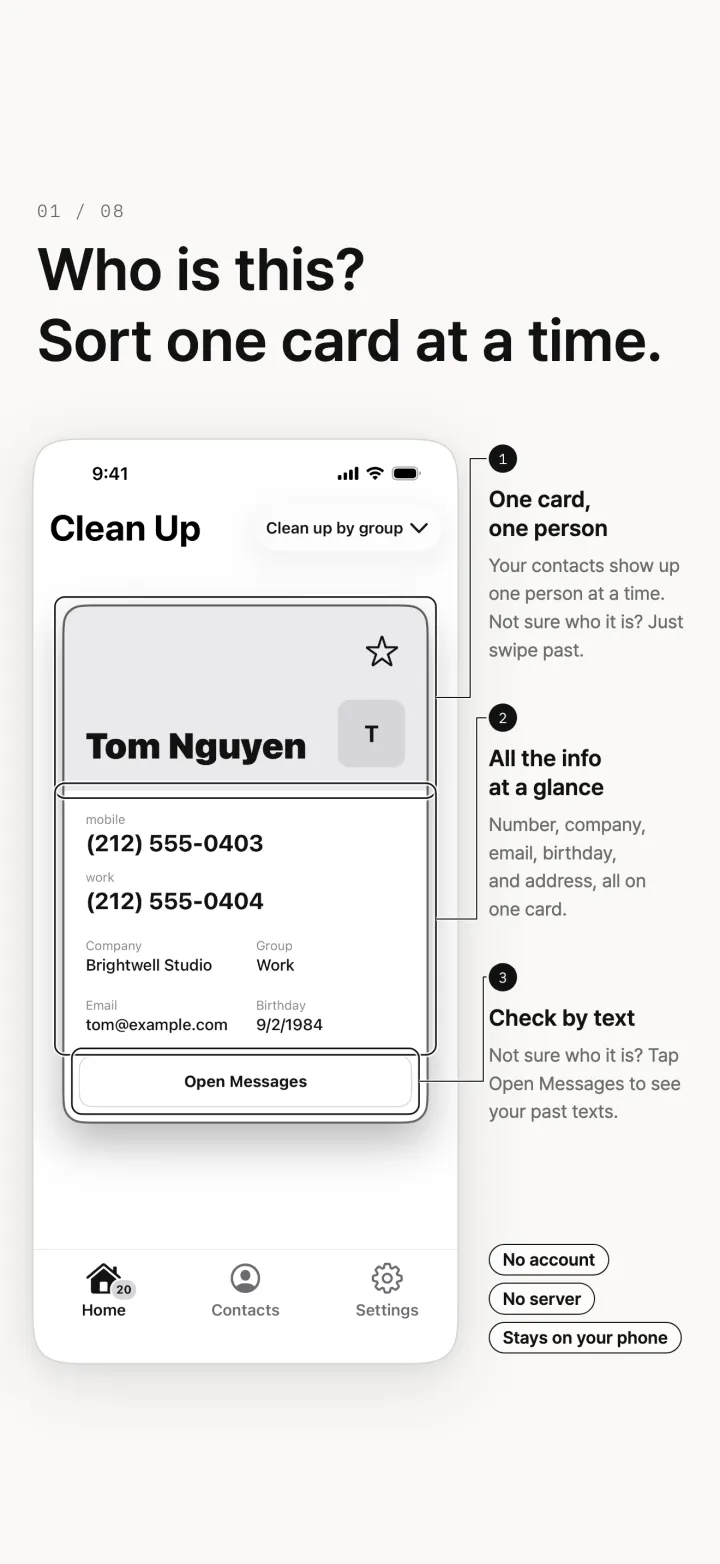
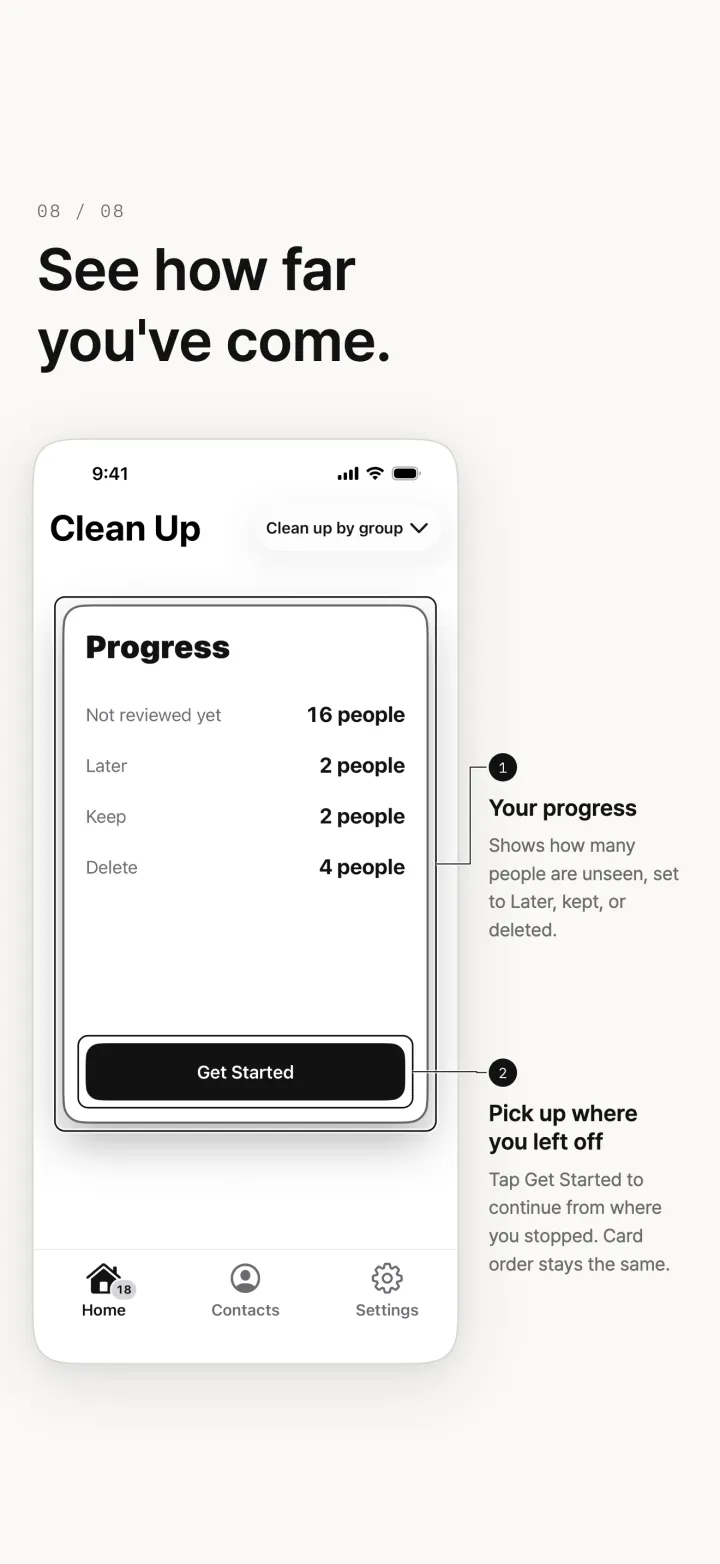
Got numbers saved in your phone and no idea who they are? Who's This shows your contacts one card at a time. Just swipe, and you're done. Your contacts are processed only on this device. No server, no account, and nothing is sent to the developer.


Screens
Features
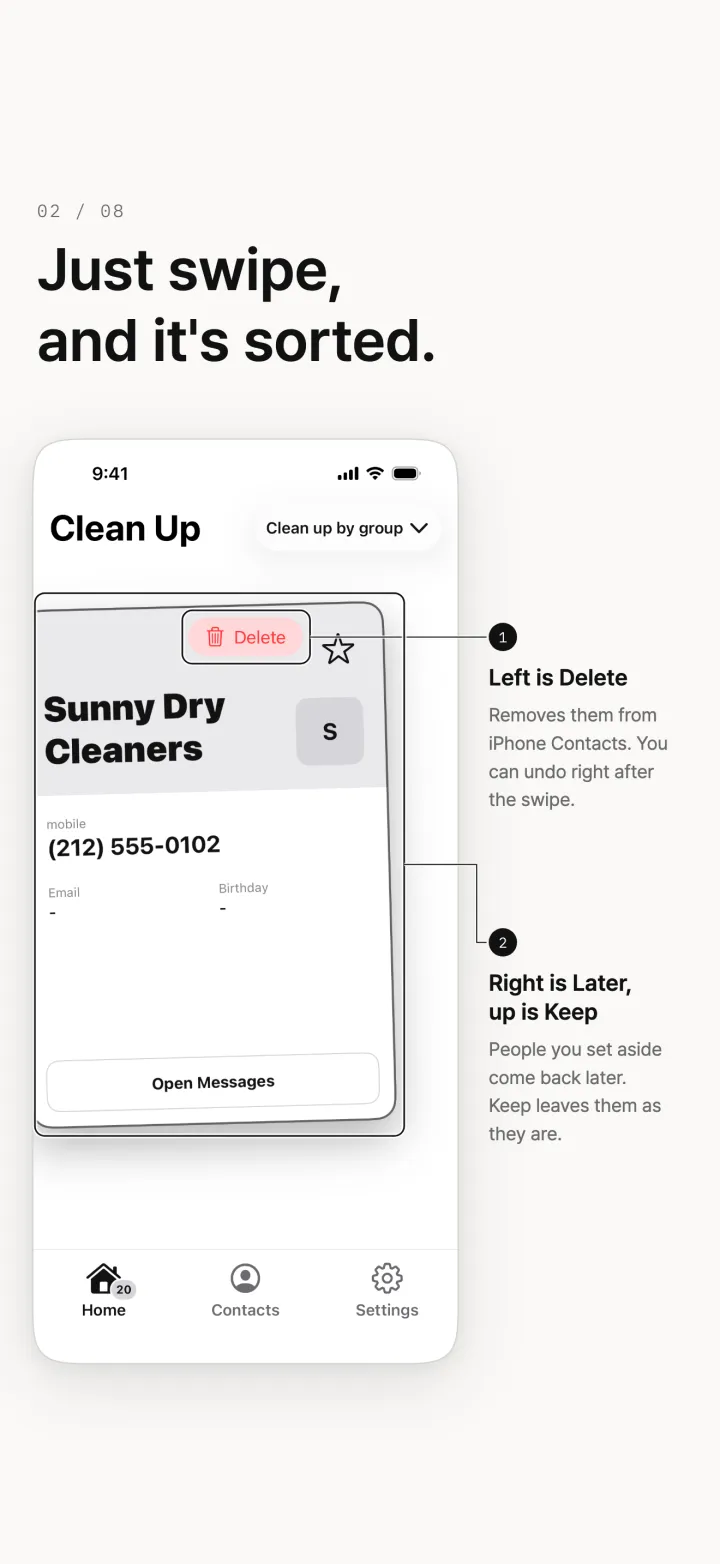
- Just swipe, and it's sorted
Swipe left to delete Swipe right for later Swipe up to keep
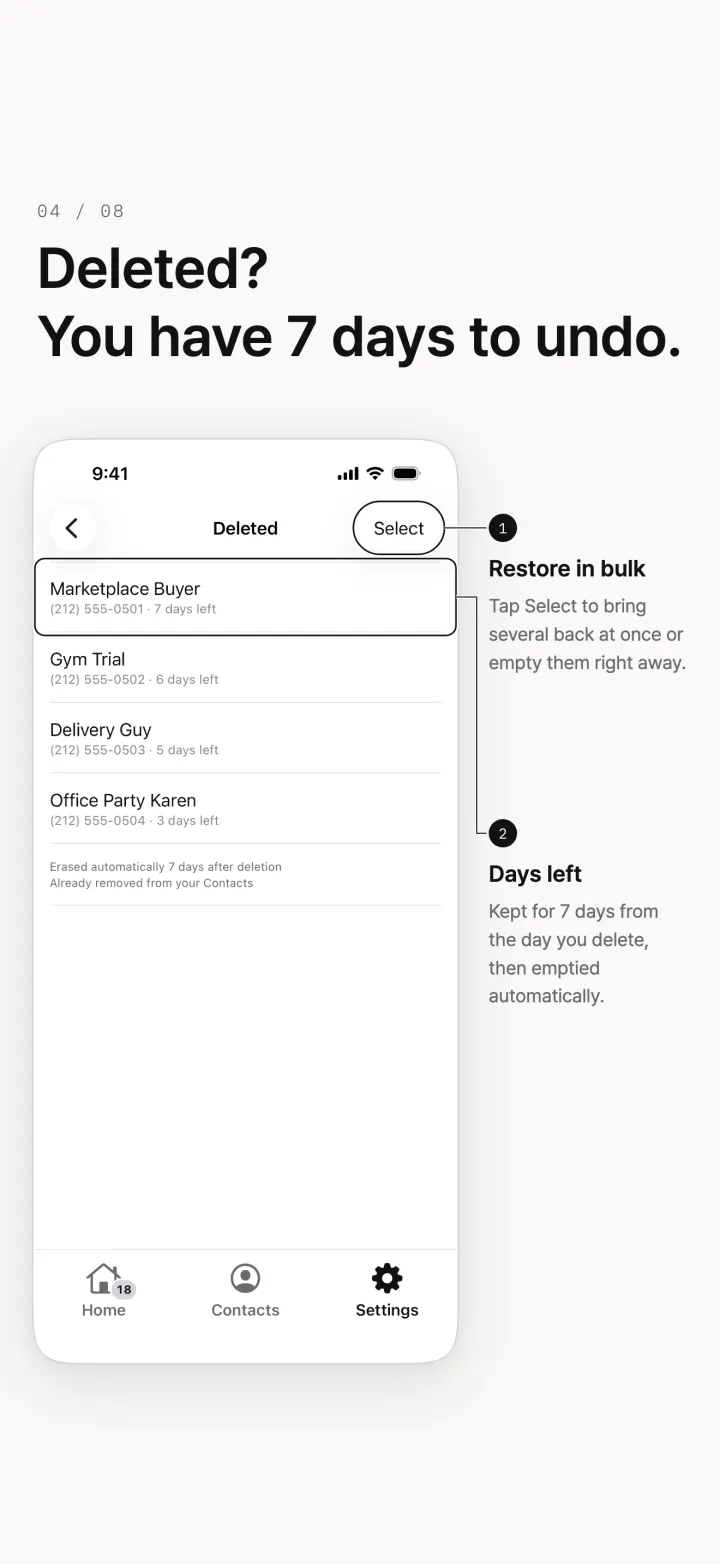
- Mistakes are fine
Undo right after a swipe Deleted contacts are kept in the app for 7 days, so you can restore them
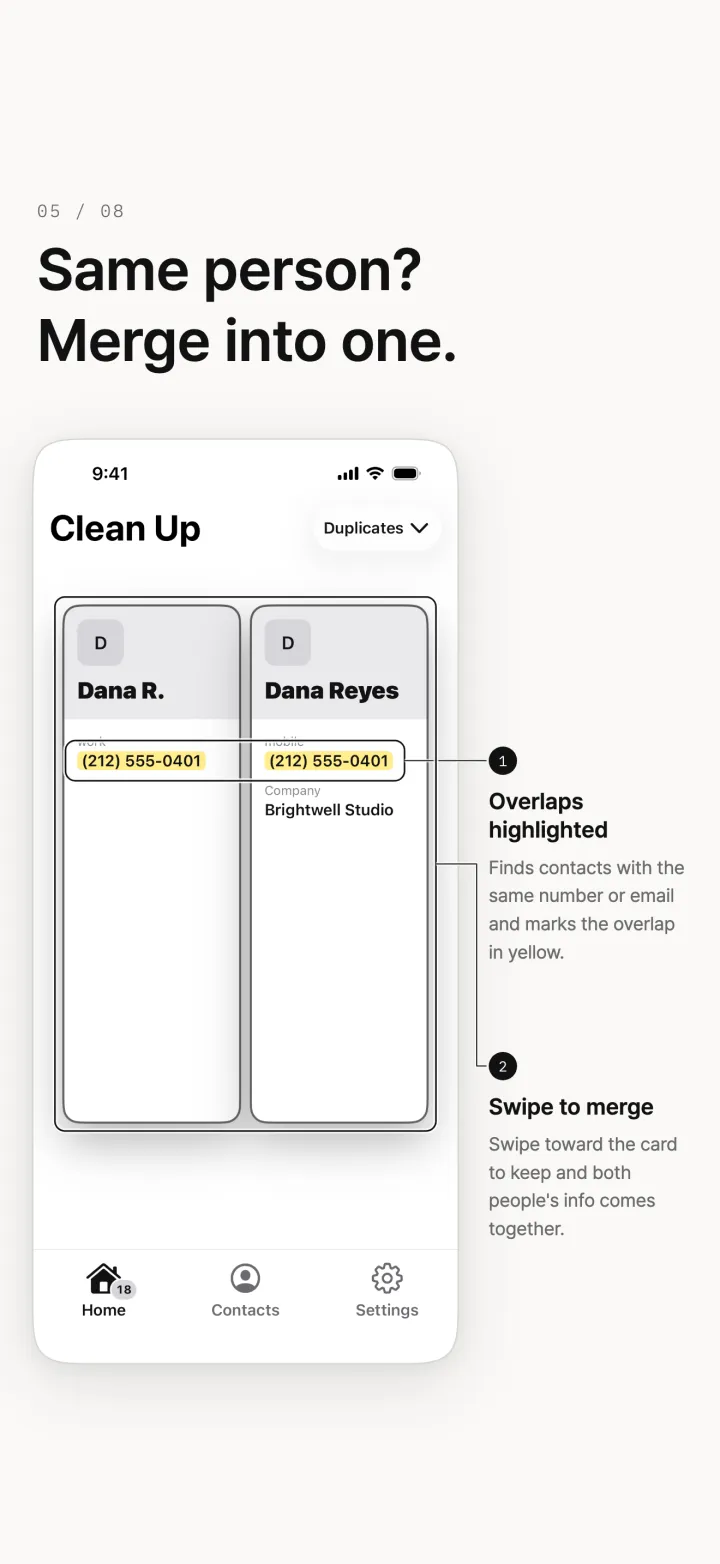
- Same person? Merge into one
Merge contacts with the same number or email (Pro)
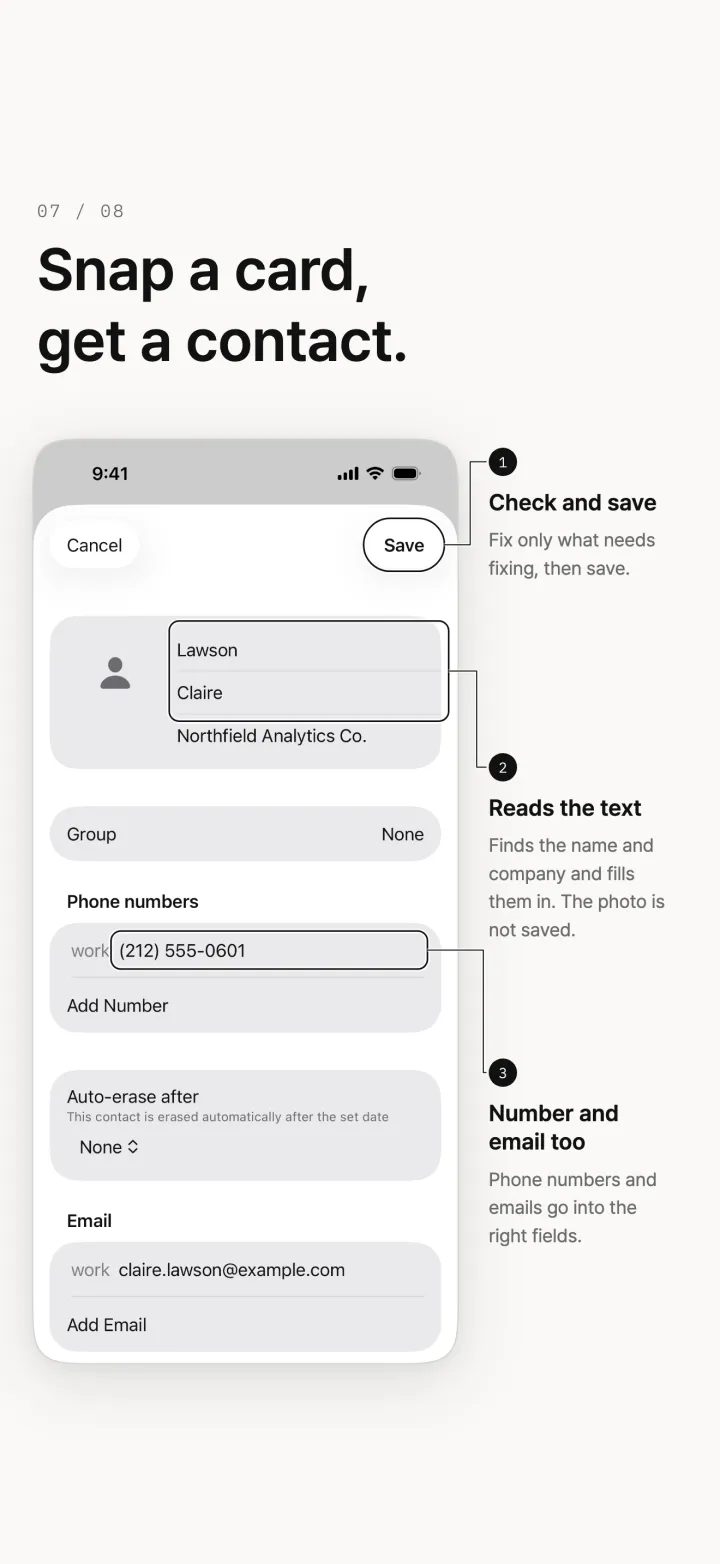
- Adding contacts is easy too
Photograph a business card or a screen, or read text from a photo, and add it as a contact Share a screenshot straight into the app
Price
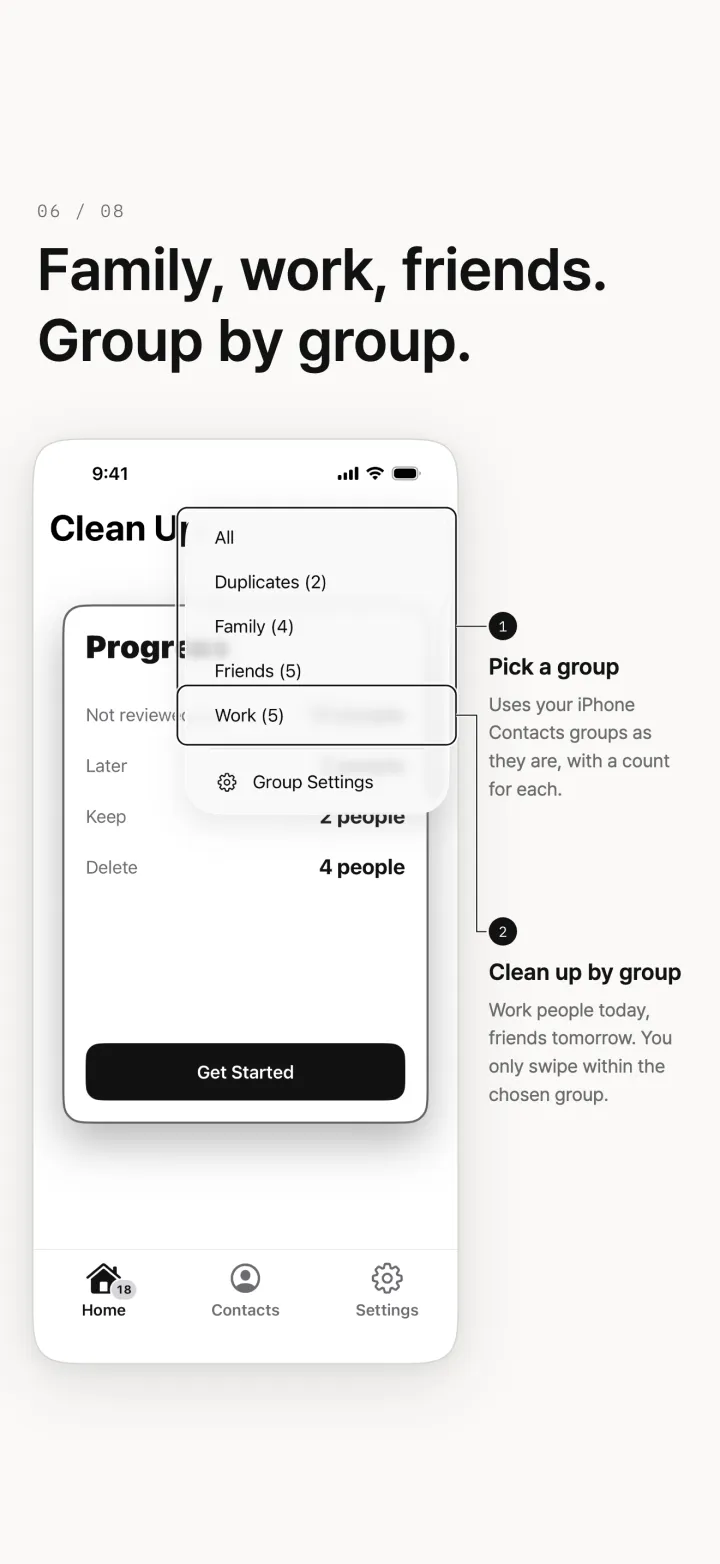
Free Pro (one-time purchase). On the free plan, you can review up to 30 contacts every 6 hours, with the default and dark themes. Pro: Unlimited cleanup Clean up by group Merge contacts with the same number or email Add, rename and reorder groups 11 themes. Available on the App Store and Google Play.
Frequently asked questions
Where can I get it?
On iOS from the App Store, and on Android from Google Play.
How much does it cost?
It is free to download. On the free plan, you can review up to 30 contacts every 6 hours, with the default and dark themes. Pro (one-time purchase): Unlimited cleanup Clean up by group Merge contacts with the same number or email Add, rename and reorder groups 11 themes.
Can I restore deleted contacts?
Yes. Undo right after a swipe. Deleted contacts are kept in the app for 7 days, so you can restore them.
Can the developer see my contacts?
No. Your contacts are processed only on this device. No server, no account, and nothing is sent to the developer. See the privacy policy for details.
Contact
Send bug reports and feature suggestions by email.
Please include your device type and app version so we can check faster.